
[AskVG Apps] Download Free Software for Windows Tweaking and Customization
We have released many useful and free software for Windows users in past which can be found in our Software section. Many of these software have been featured at various popular websites and in popular IT magazines.
Today for your convenience, we are going to put all these exclusive AskVG apps together in this topic so that you can download and enjoy them without doing any extra hard work.
All utilities mentioned in this topic will help you in customizing and tweaking Windows. Almost all of these software have been developed by various AskVG readers except a few ones mentioned at the end.
Advertisement
Let’s share the ultimate list:
Table of Contents
- OEM Assigner
- Google Chrome Pinch To Zoom Disabler
- Windows 10 Taskbar Context Menu Tweaker
- Wi-Host
- Power Scheduler
- Microsoft .NET Framework 3.5 Offline Installer for Windows 8 and 8.1
- Shutdown Panel
- Windows 8 Task Manager
- Hash Reporter
- Host Mechanic
- Right Click Context Menu Adder
- OEM Configurer
- Run Editor
- OEM Configurator
- Restarter
- Autorun Manager
- Setup from USB
- AutoRun Disabler
- DeskIntegrator
- Run It
- DreamScene Installer
- A Bootable USB
- Taskbar Iconizer
- UXTheme Patcher
- Windows File Protection (WFP) Patcher / Switcher
- Replacer
- Unlocker
- Resource Hacker (aka ResHacker or ResHack)
- 7-Zip
- Free Themes, Skins and Wallpapers
OEM Assigner
“OEM Assigner” is a free portable app for Windows which helps you in adding useful information about your PC to System Settings. The information contains device manufacturer name, your device model, phone number, website URL and a logo image of the manufacturer company.

Google Chrome Pinch To Zoom Disabler
“Pinch To Zoom Disabler” is a free and portable utility for Windows which disables annoying pinch to zoom gesture while you are on Google Chrome web browser.

Advertisement
New Windows 10 builds come with dark and huge context menu in Taskbar. With the help of this little tool, you can disable new dark context menu and restore classic small context menu in Windows 10 Taskbar.

Wi-Host
“Wi-Host” is a free and portable software for Windows which turns your laptop or PC equipped with Wi-Fi into a hot spot allowing you to share you Internet connection with other Wi-Fi enabled devices such as mobile phones, tablets or other computers.

Power Scheduler
“Power Scheduler” is a free software for Windows users which allows you to schedule shutdown, restart, hibernate and lock operations at any desired time.

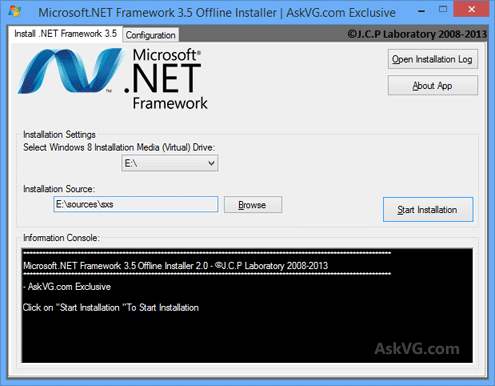
Microsoft .NET Framework 3.5 Offline Installer for Windows 8 and 8.1
“Microsoft .NET Framework 3.5 Offline Installer” is a freeware created for Windows 8 and 8.1 which helps you in installing .NET Framework 3.5 in your system without any need of Internet connection.
Shutdown Panel
“Shutdown Panel” is a free and portable software for Windows which provides easy and quick access to all power options such as restart, shut down, hibernate, lock and log off.

Windows 8 Task Manager
“Windows 8 Task Manager” provides Windows 8 look-like Metro Task Manager in Windows XP, Vista and Windows 7. Its very small and portable utility.

Hash Reporter
“Hash Reporter” is a small, free and portable software for Windows which allows you to calculate and verify hash codes of a file.

Host Mechanic
“Host Mechanic” is a free software for Windows which allows you to edit, delete or restore default Hosts file.

“Right Click Context Menu Adder” is a free and portable utility created by AskVG reader “Gromas” which allows you to add your favorite program shortcut in Desktop context menu without modifying Windows Registry.

OEM Configurer
“OEM Configurer” allows you to customize System Properties window look without any manual editing. You just need to enter desired text and select desired logo file and it’ll do the rest automatically.

Run Editor
“Run Editor” is a very small and portable utility which allows you to add any program reference to Windows Registry so that you can launch it by just typing its name in Start menu RUN dialog box.

OEM Configurator
“OEM Configurator” allows you to customize System Properties window look without any manual registry editing. You just need to enter desired text and select desired logo file and it’ll do the rest automatically.

Restarter
“Restarter” is a very small and portable utility which sits in system tray and allows you to directly “Restart Explorer”, “Restart uxsms Service” and “Kill Not Responding Tasks” using its context menu.
As a bonus, it also allows you to start a few useful Windows utilities: Task Manager, Calculator and Notepad.
You can also log off, restart and shut down your system using it.

Autorun Manager
“Autorun Manager” allows you to disable and re-enable Autorun functionality for different kind of drives like CD drive, removable drives, etc quickly and easily.

Setup from USB
“Setup from USB” is a free tool to convert your USB flash drive into Windows Vista or Windows 7 bootable setup disk. You can make your USB drive as bootable and setup Windows Vista or Windows 7 on any computer that supports booting from USB.

AutoRun Disabler
“AutoRun Disabler” also allows you to disable Autorun functionality for different kind of drives like CD drive, removable drives, etc quickly and easily.

DeskIntegrator
“DeskIntegrator” allows you to add your favorite program shortcuts in Desktop context menu in Windows quickly and easily.

Run It
“Run It” is another very small and portable utility which allows you to add any program reference to Windows Registry so that you can launch it by just typing its name in Start menu RUN dialog box.

DreamScene Installer
“DreamScene Installer” is a small utility which can bring back Windows Vista’s DreamScene feature to Windows 7. You just need to run this tool and it’ll automatically install the DreamScene feature in Windows 7.

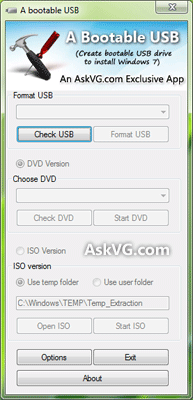
A Bootable USB
“A Bootable USB” allows you to create bootable USB drive to install Windows Vista, Windows Server 2008 or Windows 7.
Taskbar Iconizer
“Taskbar Iconizer” is a small portable tool which provides Windows 7 look-like iconized taskbar buttons in Windows XP and Vista.

UXTheme Patcher
Windows doesn’t allow to use custom 3rd party themes but you can patch Windows to use the themes.
Universal Theme Patcher can patch Windows automatically so that you can use 3rd party themes. Simply run the patcher and restart your system to take affect.

Windows File Protection (WFP) Patcher / Switcher
Whenever you want to edit/delete/replace a system file in Windows XP, it doesn’t allow and shows a message that the file is already in use. Even if you replace or edit the file using some other method, Windows automatically replaces the edited file with the default one upon next reboot.
It happens due to “Windows File Protection” (WFP) service which checks the system files periodically and replaces them with default ones.

Windows File Protection (WFP) Switcher lets you disable and re-enable WFP service so that you can easily modify system files.
Replacer
Replacer is another easy way to replace system files with your modified one. Suppose you downloaded a patched or customized system file and you need to replace existing file in your system with the new one.
Using “Replacer”, you can do it very easily and quickly. Just drag-n-drop the default system file in its window and then drag-n-drop the new modified file. It’ll ask for confirmation, press “Y” and you have done. Restart your system and it’ll replace the default file with new one upon next reboot.

PS: You can also type the complete file path in Replacer window instead of drag-n-drop the file.
Unlocker
Many times we face following ERROR messages while deleting or moving a system file in windows:
- Cannot delete file: Access is denied.
- There has been a sharing violation.
- The source or destination file may be in use.
- The file is in use by another program or user.
- Make sure the disk is not full or write-protected and that the file is not currently in use.
Unlocker is the solution of this problem. You can easily move/delete files without any problem even windows is running using unlocker.

Resource Hacker (aka ResHacker or ResHack)
Resource Hacker is a tool to edit Windows system files like .exe, .dll, .cpl, etc. You can edit these files and can change the look of various dialog boxes, menus and many other things in Windows.

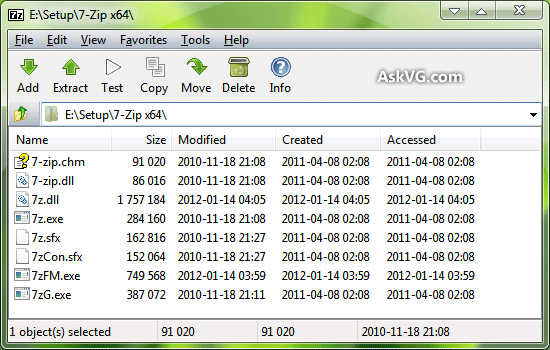
7-Zip
7-Zip is one of the best, most popular and absolutely free file archive software. It can be used to unpack/extract wide range of formats like ZIP, RAR, GZIP, 7z, RPM, MSI, ISO, CAB, DMG, VHD, WIM, TAR, etc. It can be installed in almost all Windows versions including Windows 98,ME, NT, 2000, XP, Vista, Windows 7 and Windows 8. Its command line version is also available for Linux/Unix.
Free Themes, Skins and Wallpapers
We have released many free themes, skins, icons and wallpapers for Windows XP, Windows Vista, Windows 7, Windows 8/8.1, Yahoo! Messenger and mobile phones.

You can download them using following link:
[AskVG Gallery] Download Themes, Skins, Icon Packs and Wallpapers for Windows
PS: We’ll update this list whenever a new software is released by us. So keep checking this page regularly.