
Hidden Secret Codes for Samsung Wave “Bada OS” Mobile Phones
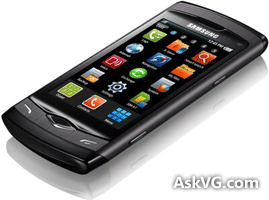
Recently I posted about Google Android mobile phones secret codes. After that Android mobile phone, I got my hands on the new stylish and awesome smartphone “Samsung Wave GT-S8500” which comes with Samsung’s new Bada OS operating system.
While playing with the new cell phone, I found some interesting hidden secret codes which can be used to access service menus (engineering mode), enable/disable various hidden options and can also provide lots of useful information about the phone which is not available in default menus.
DISCLAIMER: This information is intended for experienced users. It is not intended for basic users, hackers, or mobile thieves. Please do not try any of following methods if you are not familiar with mobile phones. We’ll not be responsible for the use or misuse of this information, including loss of data or hardware damage. So use it at your own risk.
Advertisement
You just need to type the codes using Keypad:
*2767*3855#
Think before you give this code. This code is used for factory format. It’ll remove all files and settings including the internal memory storage. It’ll also reinstall the phone firmware.
PS: Once you give this code, there is no way to cancel the operation unless you remove the battery from the phone. So think twice before giving this code.
*#197328640#
This code can be used to enter into Service mode. You can run various tests and change settings in the service mode.
Advertisement
*#0228#
This code can be used to get detailed information about phone battery.
*#7465625#
This code can be used to check the status of Sim Lock and Network Lock.
Codes to get Firmware version information:
*#4986*2650468# – SW Version, HW Version, MP, RF Cal Date, CSC Version, CSC Model Spec, FFS Version, RC2 Version
*#1234# – SW Version and CSC Version
*#1111# – FTA SW Version
*#2222# – FTA HW Version
Wi-Fi and Bluetooth Test Codes:
*#526# – Wi-Fi Manual MFG Test Mode
*#232337# – BT RF Test Mode
Codes to launch various Factory Tests:
*#0*# – LCD test
*#0673# OR *#0289# – Melody test
*#0842# – Vibration test
*#2663# OR *#2664# – TM Command
Also Check:
Hidden Secret Codes for Samsung Galaxy Mobile Phones
iPhone Tips-n-Tricks and Hidden Secret Service Codes
[Tip] Enable Hidden Secret Features in Samsung Galaxy Smartphones
1.] I found this trick on my Tata Docomo Operator. Just need to dial *124# in your keypad and it will display ur mobile no.
2.] And for Nokia Original Resetting(Nokia 5800 XpressMusic) dial *#7370#.
Note:- Remove Sim Card, Memory Card as it deletes all data from mobile.
thanks guys
it really worked on my Samsung phone
this site was very helpful
samsung wavey bada mobile