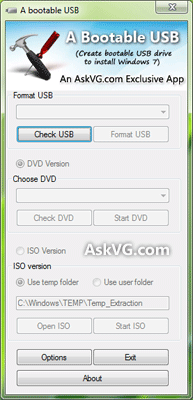
UPDATE: New version 2.1 released. Please scroll down to read the changelog.
Many times when we decide to take a backup of our Windows setup CD/DVD on our hard disk, we just copy all the files and folders present in the disk to our hard disk partition. In future if we don't have the disk with us, we try to create a new setup disk by burning the backup files and folders on the new disk. But the new disk doesn't work and you can't boot using it to run the setup.
The reason is when you burn a new setup disk, its not bootable and if you don't know how to make it bootable, you are lost.
Many times readers ask us how to create a bootable Windows setup disk? So today we are going to share a small and portable tool which allows you to create bootable ISO image of Windows XP, Vista, Windows 7 and Windows 8 which can be burned using any disk burning software or using Windows 7 and Windows 8 built-in Disk image burner tool.
"WBICreator" (Windows Bootable Image Creator) is a free and portable utility created by AskVG reader "Shashi Kumar Sinha" which allows you to create bootable ISO image file of Windows XP, Vista, Windows 7 and Windows 8 setup.
You just need to give any desired name to ISO image file, select the folder containing Windows setup files and select the target folder which will store the new ISO file and you are done. Just sit back and the bootable ISO image file will be created automatically within a few minutes which can be burned on a disk using any CD/DVD burning software.

This software is portable so you don't need to install it. Simply download the ZIP file, extract it and run the EXE file.
Its very simple and easy to use and works like a charm.
You can download it using following link:
Changes in version 2.1:
- Fixed: Bug in CD-writing mechanism which could prevent BIOS to read Boot Segment address and the user gets "CD BOOT: COULD NOT FIND BOOTMGR" error message. Thanks to our readers "Nirbhay Prakash" and "Nick" for pointing out this issue.
You can also take a look at some other similar free tools to create bootable USB drives to install Windows using following link:
Ultimate Collection of Best Freeware to Create Bootable USB Drive to Install Windows and Linux
Posted by: Vishal Gupta | Categories: Software, Windows 7, Windows 8, Windows Vista, Windows XP
Shashi Kumar Sinha
A new version will be released very soon to add support for windows 8.
Rahul Sharma
but how this work?
How to test this bootable image is bootable or not?
Is it work after burning this in Cd?
Please give answers please
Mahesh
Please tell me the exact path which i have to select in case of windows 8 64 bit
VG
^^ Select the folder which contains following folders inside it:
boot | efi | sources | support
@Rahul Sharma
Yes. Once you create a bootable ISO and write it on a disk, you can boot your system using the disk.
Mahesh
do i need to provide product key when i reinstall using this bootable disk?
TheAslan
But keep in mind that this tool isn't enough, if your SATA config is set to ACHI you gonna need USB3.0 drivers attached to boot.wim file (Index 1 and 2), without USB3.0 drivers you can't choose which drive you want to install your operating system.
TheAslan
Forgot to mention that USB3.0 drivers are attached to boot.wim file in Windows 8 by default, you have to only attach USB3.0 drivers to Vista and 7, I'm not sure about XP.
Mahesh
I cannot find the folder containing setup files in windows 8. it is giving error messages as "The OS path you selected does not contain valid OS Files ! Please Retry"
please help me finding it
Mahesh
Please give a detailed information about which folder to select in windows 8.
VG
^^ Make sure you have Windows 8 setup in your system. Did you download Windows 8 setup using Upgrade Assistant or did you purchase a new computer having Windows 8?
Mahesh
I purchased a new laptop with installed windows 8 os
Mahesh
I purchased a laptop having windows 8
Addy
I face the same problem as well . I bought a new laptop with preinstalled windows 7 but later bought a dvd , upgraded to win 8. Hey VG , can you specify the path of windows 8 setup folder??
TheAslan
It's much easier just copy/paste Windows 8 installation files to USB stick, then just change boot order in bios like this:
1. Your hard drive <- where you gonna install Windows 8.
2. USB stick <- where your Windows 8 installation files are.
3. Disabled
You don't need a tool like this if you wanna make a bootable USB stick, and I recommend to format your USB stick to NTFS, installation goes faster with NTFS than FAT32.
Shashi Kumar Sinha
I think this tool has been pretended in wrong way. This tool is intended to create simply Bootable ISO Image from windows setup files (not from installed windows [xp,vista,7 or 8]) and nothing else. If you don't have windows setup files copied to your hard disk or on cd drive then you can't create anything.
So please make sure you have already windows setup files ( not installed windows ) with you before using this tool.
santosh
Thanks Vishal and Shashi great tool and easy to use :)
Nirbhay Prakash
I copied windows setup files(XP SP3) to my hard drive. with the help of WBI tool I successfully created the iso file and then used Imgburn to burn it. But when I tried to boot it from; it gives an error message . CD BOOT : COULD NOT FIND BOOTMGR.
I tried several times to create the iso bootable image(going through the articled carefully). but every time the same error message is what I get. I checked the iso file created with the WBI Creator with isobuster and it shows it is bootable.So I am little bit confused that what i am doing wrong. Can any one help??
Nick
Same problem - error message . CD BOOT : COULD NOT FIND BOOTMGR.
If I am building a bootable XP ISO, do I have to run the tool on an XP (as opposed to Win7) machine?
I assume the OS type in the first box refers to the target disc, rather than the machine the tool is running on?
Devendra
windows Installation failed after @25-40 % .......
Shashi Kumar Sinha
@Nirbhay Prakash and Nick, Thanks for pointing issue. As per your problem i really found a Boot segment address fault in CD-Writing Mechanism and corrected this. Please download the new WBICreator v2.1 and use without any problem (hope!).
@Devendra Your Problem is not due to WBICreator
zepe
I have an ASUS laptop with Windows 8, but it won't boot from the HDD. How do I get it to do that?
Jacob Lane
@TheAslan NTFS will damage flash memory.
Nice tool!
sumeet
when i am starting my pc ,i am GETTING A DRIVE: ERROR (which is my floppy drive) i desabled its size to none & changed my boot priority to cd/dvd drive, then hard disk.but i am able to solve it .it is appearing TO ME that BOIS IS NOT SAVING MY SETTINGS ?? WHAT TO DO NOW ???? THANKS