
Download K-Lite Codec Pack and Media Player Classic (64-bit, 32-bit)
UPDATE: New versions K-Lite Codec Pack 18.3.0, MPC – Home Cinema 2.2.1 and MPC – Black Edition 1.7.0 are available for download.
Many times we download music or video files from Internet but can’t play them in our computers. The reason behind this problem is the missing codecs. To be able to play those media files, we need to install the required codec in our system using a codec pack.
Table of Contents
K-Lite Codec Pack Information
“K-Lite Codec Pack” (developed by Codec Guide) is one of the best codec packs available on Internet. Just install it and get ready to enjoy any kind of popular media file formats in your Windows. You can watch DVDs, listen to all media files. You’ll not have any problem in playing any media file.
Advertisement
It comes in 4 variants or versions: Basic, Standard, Full and Mega. The Basic version contains everything you need to play all common and popular video file formats such as AVI, MKV, MP4, etc. The Standard variant contains a few additional features along with Media Player Classic app. The Full variant has come extras such as GraphStudioNext and few extra DirectShow filters. The Mega variant is the most complete codec pack. It contains VFW/ACM codecs for video encoding/editing.
Compatible with Windows 7, Windows 8 / Windows 8.1, Windows 10 and Windows 11. Both 32-bit (x86) and 64-bit (x64) editions are supported.
Media Player Classic (MPC) Information
The best thing of K-Lite codec pack is that you can play all the things in the built-in “Windows Media Player” program of Windows. The codec pack also installs “Media Player Classic” (MPC) application which is an excellent and lightweight media player that looks similar to Windows Media Player 6.4 but comes with many additional features.
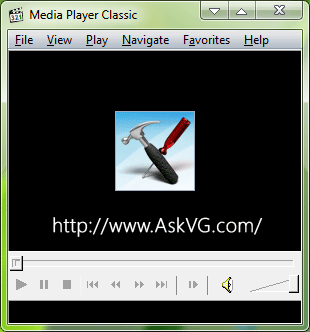
MPC is available in many editions on Internet but the most popular and active versions are MPC-HC (Media Player Classic – Home Cinema) and MPC-BE (Media Player Classic – Black Edition). MPC-HC edition is developed and maintained by clsid2. It is based on the original Guliverkli project and contains many additional features and bug fixes. On the other hand, MPC-BE edition is maintained by aleksoid. It is based on the original Media Player Classic project (Gabest) and Media Player Classic Home Cinema project (Casimir666) and contains additional features and bug fixes.
MPC also supports subtitles and lots more. The best feature of Media Player Classic is the ability to modify the filters when playing your favorite video files.
Download K-Lite Codec Pack All Versions
You can download K-Lite Codec Pack all variants (Basic, Standard, Full, Mega) using following links:
Advertisement
Download K-Lite Mega Codec Pack
Download K-Lite Full Codec Pack
Download K-Lite Standard Codec Pack
Download K-Lite Basic Codec Pack
Download K-Lite Codec Pack Older Versions for Windows XP and Vista
If you want to download older versions of K-Lite Codec Pack for compatibility reasons (for Windows XP and Vista), you can grab them from following links:
Download K-Lite Mega Codec Pack Old Versions
Download K-Lite Codec Pack Old Versions (Basic, Standard, Full)
Download Media Player Classic Home Cinema and Black Edition
If you want to install only Media Player Classic program, you can download its standalone version using following links:
Download Media Player Classic – Home Cinema (MPC-HC)
Download Media Player Classic – Black Edition (MPC-BE)
Also Check:
How to Download Movies Subtitles Automatically Using Media Player Classic?
This codec supports *.mkv file extension too.
Thanks.
Comparison of K-Lite Codec Pack All Versions:
codecguide.com/klcp_contents_comparison.htm