
Hidden Secret Service Menu Codes for Sony, Samsung, LG and Philips TV
All digital TVs contain a secret service menu/engineering mode which allows users to access advanced menus/options and to change various internal settings such as picture height, width, position, colors, blue back screen, etc. This secret service menu also allows you to enable or disable lots of features in your television set. Basically this service menu is used by TV mechanics and engineers.
Today in this topic, we are going to share codes to access the hidden secret service menu in Sony, Samsung, LG and Philips TV. These codes will work in all types of TV such as CRT, LCD, LED, Plasma, HD, Full HD, 4K UHD, etc.
Also we’ll tell you how to manually update your TV software/firmware offline. Many TV models don’t come with Internet connectivity, so these methods will help you in upgrading your TV firmware manually without any need of Internet connection.
Advertisement
NOTE 1: Please note down the default values before changing them, so that you can restore them in future if something goes wrong or you don’t like the output.
NOTE 2: Be very careful while playing with these service menus. Better to make changes and check their effects first. Don’t save the changes immediately. If something goes wrong, just switch off the TV and switch on it again, it’ll restore default settings.
Table of Contents
First power off your TV using the remote, then press following buttons quickly on your TV remote:
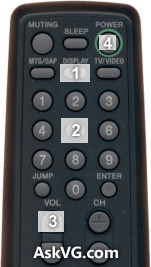
Display (or i+) + 5 + Volume Up + Power
It’ll show the hidden service menu on your TV screen.
Once you enter into service menu, you can press Menu (or Options) button again on your remote to switch between various service modes such as Digital, Chassis and VPC.
Advertisement
To navigate between available options press 1 or 4 buttons. To change or modify their values press 3 or 6 buttons.
To save your changes, just press Mute + 0 (or Enter) buttons on the remote.
To restore settings to factory defaults, press 8 + 0 (or Enter) buttons.

PS: For some new models the above mentioned method might not work. You can try following key sequence to access service menu in those new models:
While TV is on, press Left + Right + Mute + Center button + Mute + Menu buttons.
NOTE: You can also press Display (or i+) + 5 + Volume Down + Power buttons on your remote to enter in Self Check mode. This mode shows the total usage hours of your Sony TV set.
There are many codes available for accessing service menu in various Samsung TV models. You can try following codes one by one until you get access to service menu:
First try following method. It works in all new Samsung TV series:
Method 1: DO NOT power off your TV. Keep it ON and then press following buttons quickly on your TV remote:
Mute + 1 + 1 + 9 + Enter
Here “Enter” button is the OK/Select button present in the center of Left/Right/Top/Bottom buttons. It’ll open secret service menu which allows you to turn on/off Hospitality Mode/Hotel Mode, etc.
Other Methods:
If above mentioned method doesn’t work for you, try following methods:
First power off your TV using the remote, then press following buttons quickly on the remote:
Info + Settings + Mute + Power
Mute + 1 + 8 + 2 + Power
Mute + 1 + 1 + 9 + Power
Display/Info + Menu + Mute + Power
Display/Info + P.STD + Mute + Power
P.STD + Help + Sleep + Power
P.STD + Menu + Sleep + Power
Sleep + P.STD + Mute + Power
You can press Channel Up/Down buttons to navigate between available options. To change their values, press Volume Up/Down buttons.
Press and hold <OK> buttons on remote as well as TV panel for a few seconds and the service menu will appear on your TV screen.

For some TV models, you might need to press “Menu” buttons on remote and TV panel simultaneously for a few seconds to access the service menu. In a few TV models, both methods work and they open different service menus.
If the service menu asks for a password, enter 0000 (four zero). If 0000 doesn’t work for you, try 7777 or 0413 or 8741 or 8743 or 8878.
Now you can make changes to your desired settings.
To save the changes press <OK> button on the remote.
BONUS TIPS:
1. With the help of this secret service menu in LG TV, you can enable USB drive use by settings USB option to 1. Once you enable this feature, you can insert any USB drive in USB slot present at the backside of your LG TV and your TV will automatically detect it and you’ll be able to play audio or video files present in your USB drive on your TV set. You can also view images present in your USB drive on your TV set.
2. You can also enable Golden Eye feature by settings Eye option to 1 in service menu. This feature automatically adjusts contrast and brightness levels of your TV set according to the lights available in your room.
3. All LG TV come with a secret feature called “Hotel Mode“. You can enable this feature by settings Hotel option to 1 using service menu. Once you enable this feature, the Setup or Channel Search option will get disabled in your TV Settings. Thus no other person will be able to scan channels or fine tune channels. That’s why this option is called Hotel Mode.
There are many codes available for accessing service menu in various Philips TV models. You can try following codes one by one until you get access to service menu:
0 + 6 + 2 + 5 + 9 + 6 + Menu/Info/Status
0 + 6 + 2 + 5 + 9 + 7 + Menu/Info/Status
0 + 6 + 1 + 5 + 9 + 6 + Menu
0 + 6 + 1 + 5 + 9 + 7 + Menu
1 + 6 + 2 + 5 + 9 + 6 + Menu/Status
1 + 2 + 3 + 6 + 5 + 4
Manually Updating LG TV Firmware Offline:
If you want to update your LG TV firmware/software, you can follow following simple steps:
1. First of all you’ll need to download the required firmware files from official LG TV website. Just go to LG TV website and search for your TV model. You’ll find the firmware files (*.epk) on your TV model page. Download it and save on your computer.
2. Now attach a USB drive in your computer and create a new folder LG_DTV in USB drive.
3. Copy the .epk file in LG_DTV folder.
4. Now insert the USB drive in your LG TV and do as following:
Press Home/Menu button on your TV remote, it’ll open the Settings screen. Move the cursor to OPTION but don’t press OK button. Now press 7 number button 7 times on the remote and it’ll open the firmware update screen.
If pressing 7 number button 7 times doesn’t work for you. Press Fav button 7 times.
To restore default firmware, follow the same instructions but press 9 number button 7 times.
Manually Updating Sony TV Firmware Offline:
If you want to update your Sony TV firmware/software, following steps will help you:
1. First of all download the latest firmware files for your Sony TV model from Sony website. Just go to Sony TV website and search for your TV model. You’ll find the firmware files on your TV model page. Download it and save on your computer.
2. Now extract the downloaded ZIP file using 7-Zip or any other file archive utility and you’ll get the folder containing the update .BIN file.
3. Attach a USB drive to your computer and copy the update folder to USB drive.
4. Now insert the USB drive in your Sony TV USB port and it’ll automatically detect the firmware files and will start updating the firmware. It’ll take approx. 5 minutes in upgrading the firmware.
PS: If your Sony TV provides Wi-Fi, Ethernet or USB Modem options for Internet connectivity, you can directly upgrade your TV firmware using Settings menu.
If you have a different brand TV set such as Panasonic, Toshiba, Videocon, Onida, Sansui, Sharp, Akai, etc, feel free to ask us for the secret code to access its service menu…
Also Check:
- PIN / Password of Signal Setup in Tech Settings of DEN Set Top Box
- Revealing Hidden Secret Service Menu in Dish TV DTH Set Top Box
- Revealing Hidden Secret Service Menu in Tata Sky and Airtel Digital TV DTH Set Top Box
- iPhone Tips-n-Tricks and Hidden Secret Service Codes
- Hidden Secret Codes for Samsung Galaxy Mobile Phones
- Hidden Secret Codes for Google Android Mobile Phones
- List of Hidden Secret Service Codes for Chinese Mobile Phones
Thanks for the hints,
I really enjoy it because it makes me more competent in electronics field.
It’l be my utmost rejoice if i can get more codes like samsung,jvc,bush and so on.thank you.
Regards
oseni
Dear Team,
Please let me know urgently hidden secret code for my SSR-100d TV remote control of Sansui color TV. Waiting for reply. Thanks in advance.
^^ You can try following codes:
1. Press Menu button on remote and then press Channel down button on remote.
2. Press Menu button on remote and then press 1147 buttons quickly on the remote.
3. Press Menu button on remote and then press 0323 buttons quickly on the remote.
If it asks for password, enter 1947.
Ok. I have foind the solution some may be looking for. The issue with some of these tvs, like mine, is that the remote it came with functions on bluetooth. The mute 1 2 8 power command needs to be done using an infrared remote. The problem with some universal remotes like my telus box remote is that the number buttons dont even emit a pulse when pushed until the tv is on. The only way i was able to enter the service menu was to use 2 different remotes. One for the mute a d power button press and another for the numbers. It worked like a charm on my samsung smart tv. There was no one remote that worked. Sometimes the best indication is the little led on your universal remote that blinks when you push a button. If thats blinking it should be putting out an infrared pulse.
thanks a lot you’re fantastic!
thanks.
Iam tried to this method,and best result…..
Congratulations……
I think people could use this I have two Samsung monitors new ones a 32 inch and a 40 inch . I want each controller to control only one monitor I don’t want to change both monitors that are side-by-side is her way to give an code so that each remote will only control one particular monitor.
Is there some way to do this without putting a mask on the receiver transmit link.
Sure be nice that the remotes could be dedicated to a single monitor, TV
Thank you
THANK YOU a hundred times over for this article which fixed my old Samsung tv’s horrible channel storage problems that went on for years. Thanks to your article I was able to do a factory reset and the channel storage is totally back to normal now; I had to use the “Mute + 1 + 8 + 2 + Power” service code. You people are so good to provide this info, saved me wasting a perfectly good tv or having expensive inconvenient service done, or buying a new tv. Awesome!
I’m trying everything the TV goes into black screen mode right after smart tv logo I cant access menu or anything
What code should I use for my Samsung MU9500 ?
Waiting for your response.
Hi, could you tell me how to enter the service menu of Smart-Tech tv (I own the 40FA10V3 model)? Thank you.